
This is an old revision of the document!
Authorized Conversion - If You Do Not Have a Signing Certificate
If an authorized person does not have a signing certificate available, an alternative solution can be used.
* In the Other entries section, create a new record containing the required text, then print the report and sign it in paper form.
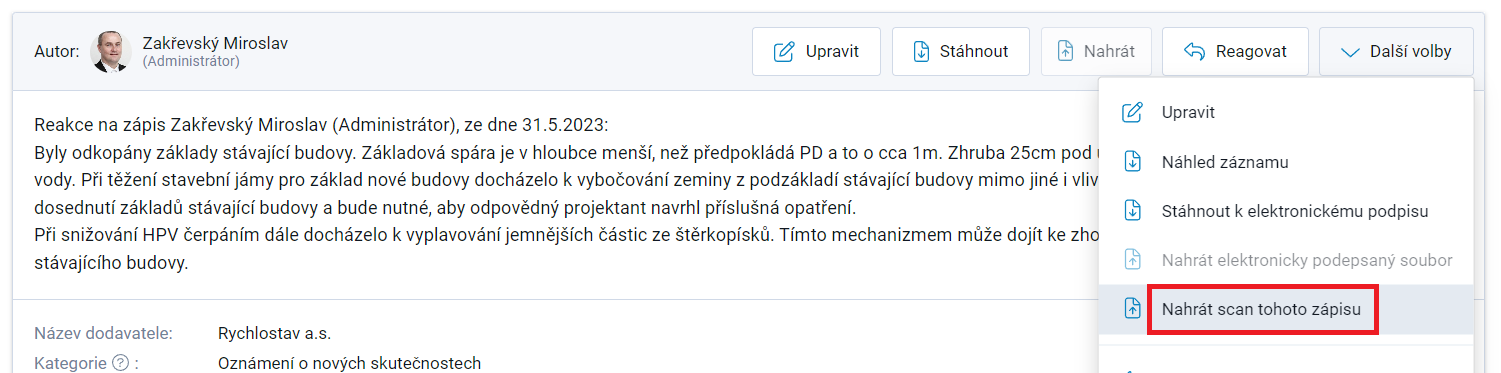
* Take the paper document to a Czech POINT office or a notary and have it converted to electronic form through an authorized conversion. The resulting PDF file has the same legal validity as the original paper document because it contains the following certification clause. \  * Upload the PDF document using Upload scan of this record. The record will be locked as a result. The file will automatically become an attachment to the Daily Report. \
The decision whether an authorized conversion is necessary is primarily up to the user and will depend mainly on the importance of the subject matter of the record. Using this procedure, any PDF file can be uploaded to the application, including an ordinary scan containing a handwritten signature.