
Signature Method Settings
Before you start signing, you need to configure your signature settings.
The video explains exactly how to configure the settings and which signing method to choose.
\
$$
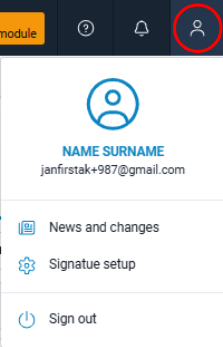
You can access the Signature Method Settings window by clicking your user profile icon and selecting Signature Settings from the menu.
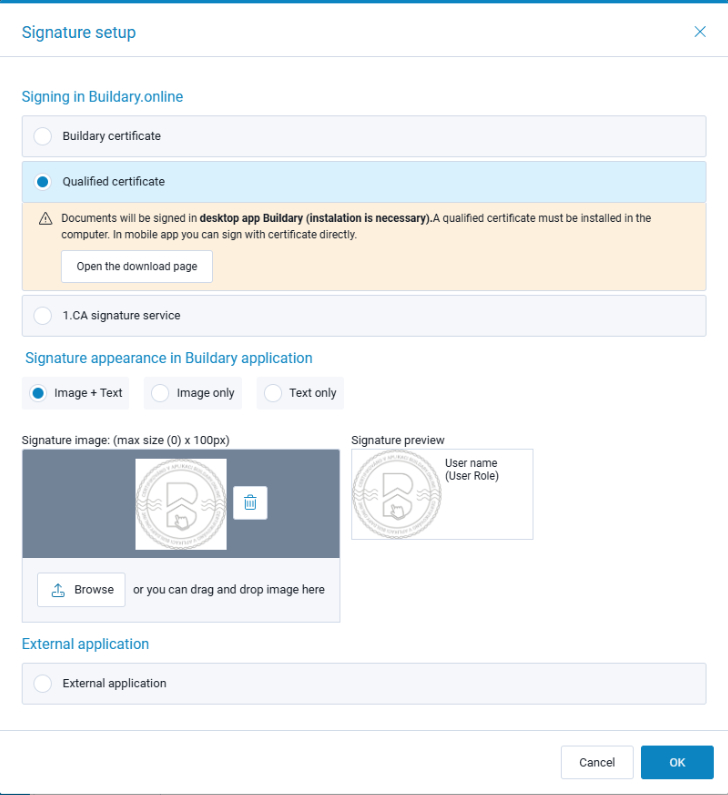
In this window, select the option that best suits your needs.
If you are unsure which option to choose, we recommend watching the video above in this chapter. It explains the individual signing methods and provides recommendations on when to use each one.
You can also configure the Signature Appearance in this window. This setting applies to the first three signing methods. We recommend using your company logo, or optionally a scanned handwritten signature, as the image. We recommend the Image + Text option.
Details about the individual signing methods can be found in the following help chapters:
Signature settings are shared between the web and mobile applications and are stored on the server. The settings can also be changed in the mobile application. They always apply to both environments.