This is an old revision of the document!
Table of Contents
Daily Entries - Labour, Plants and Materials
Video for the Labour, Plants and Materials Section
Labour
This is a list of all people working at the construction site on a given day. According to Decree No. 499/2006 Coll., the list should identify individuals by name. However, it is up to the user to decide whether to record people by name or use another method.
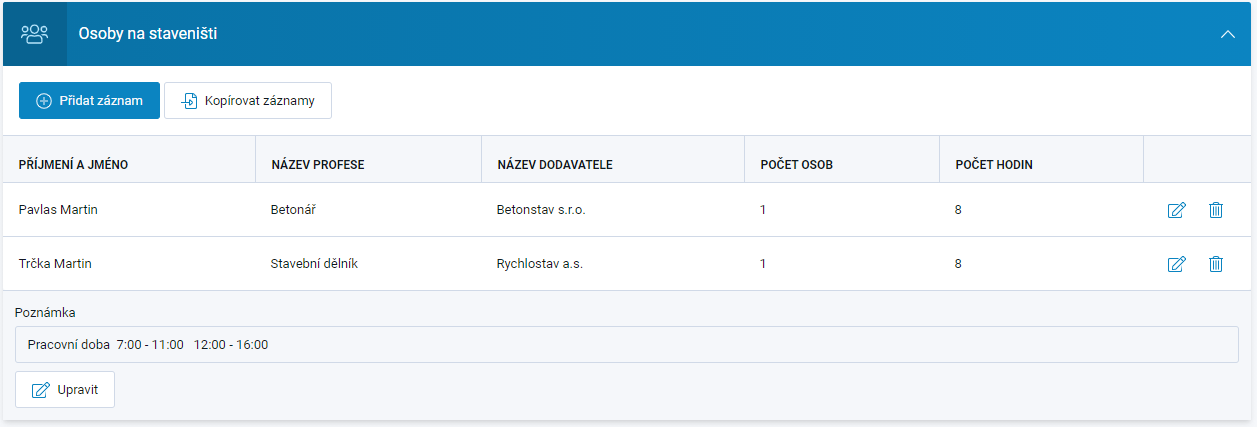
To add a new item (person), fill in the editing window that opens when you select the + New Entry button. The application remembers saved items. If you want to enter a person who has already been recorded in the past, the application will offer matching saved items as you gradually type the person's name in the editing window. Selecting the suggested entry will copy all data from the previous record and pre-fill the other fields, where the information can be edited.
The full list of saved entries can be displayed in the editing window by expanding the dropdown list in the item name field and selecting the required item directly.
Another option for adding data to the section is to copy data from another day of the diary and then edit it if necessary.
You can add a Note to this section, which is saved using a separate button. Specifically for this section, you can preset the content of the note when recording working hours. This is configured under Diary Settings → Working Hours field (see Diary Settings).
Lists of items available for selection can be prepared in advance under Project Settings → Code Lists - Project Diary → Labor on Site / Plants / Materials sub-tabs, either by adding items individually or by importing an XLS file (see Code Lists - Project Diary). The same principle applies to the Plants and Materials sections.
Integration with attendance systems at the construction site is possible and recommended. Currently, integration with ConVision, SYSDO, or WIN-PAK is available. If you would like to activate this integration for your construction site, contact us at buildary@firstis.eu
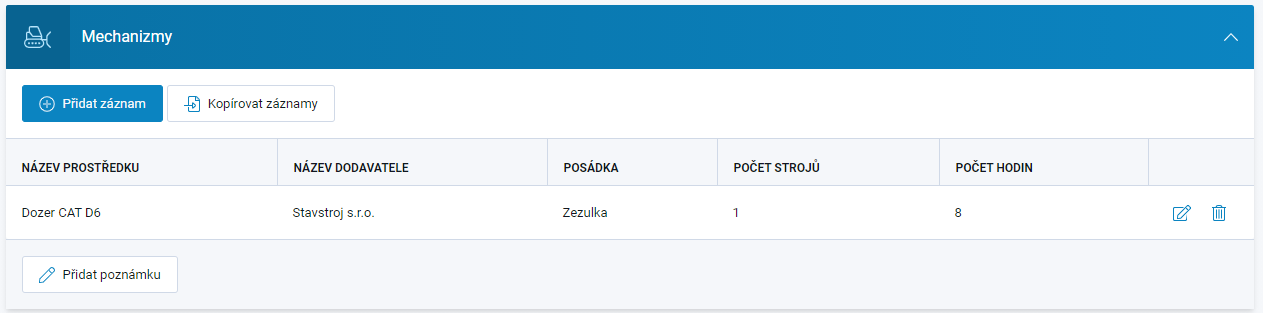
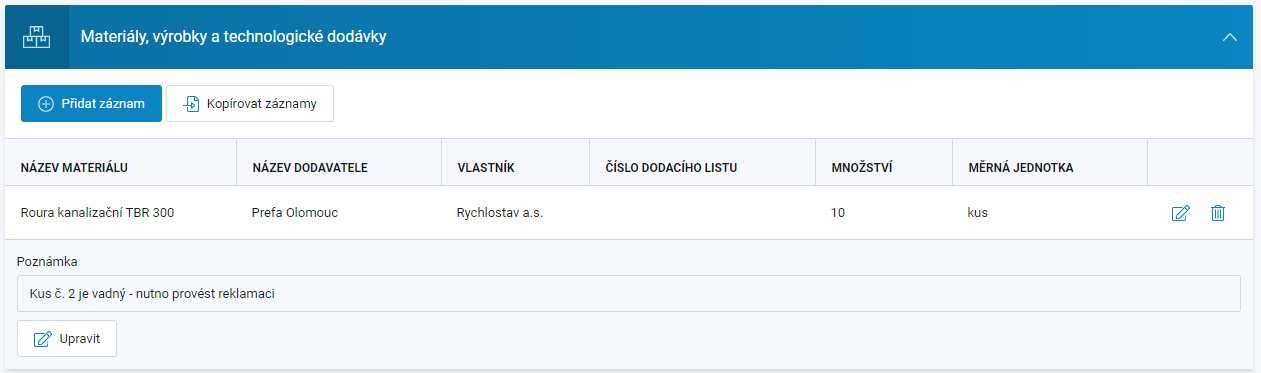
Plants, Materials
Data entry works similarly to the Labour section. The available fields are determined by the Diary Settings. In these sections, you can add a note, which is saved using a separate button.