
Table of Contents
Code Lists – Ticket Management
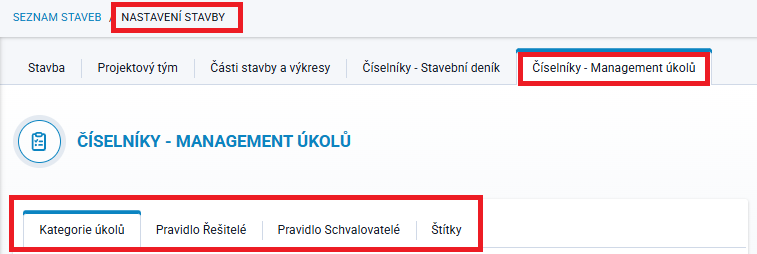
This section of the project settings contains all code lists available in the Ticket Management module that can be defined or modified by the project administrator.
These include:
- Ticket Categories
- Assignees Rule
- Approvers Rule
- Labels
Ticket Categories

Ticket Categories is a code list used to divide tickets into basic groups according to the subject matter they concern. This code list is predefined by default, and users select an item when creating a new ticket or editing an existing one.
The administrator can modify or delete the predefined items using the icons at the end of each row, or add new ones using the  button.
Categories that are already used in a ticket cannot be deleted. They can only be edited.
The two-letter abbreviation is used to make it easier to identify locations where the category is represented by an icon containing this abbreviation. We therefore recommend choosing an intuitive abbreviation.
Rules
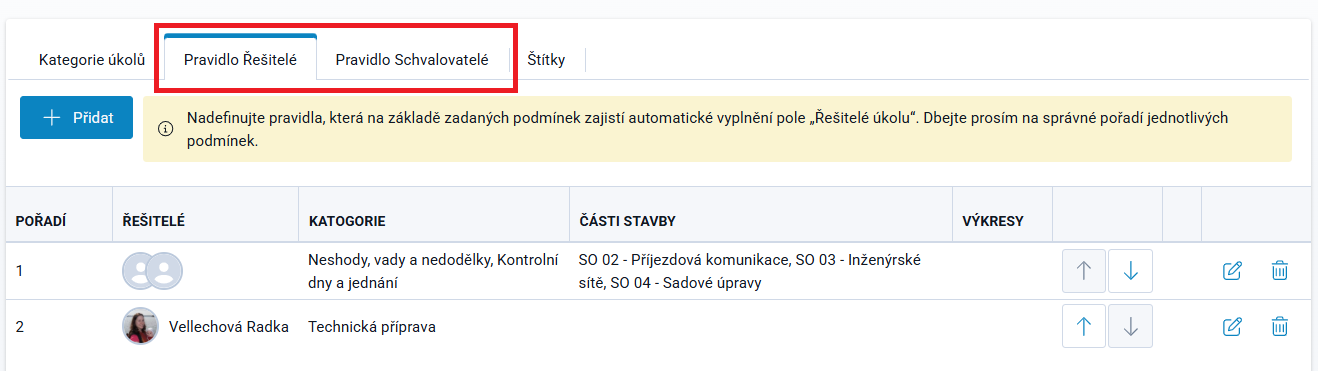
A Rule is a set of conditions under which the Assignees and/or Approvers field is automatically populated when a ticket is created.
A user with administrator rights can create different rules for different situations where the responsible persons are clearly defined.
This can save a significant amount of time and effort and eliminate uncertainty when creating new tickets.
Rules can be added gradually, and there is no limit to the number of rules that can be defined.
Their order can be changed in the list according to their importance or priority (a rule higher in the list takes precedence over a rule below it).
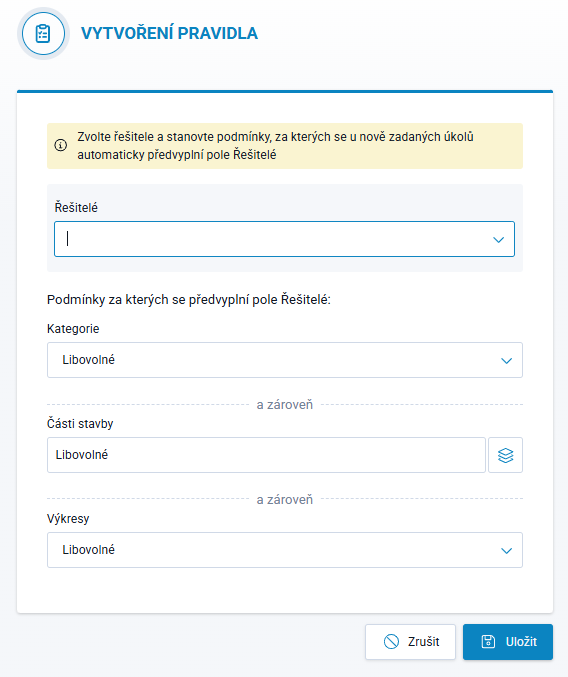
A New Rule is defined by selecting one or more persons in the Assignees or Approvers field, depending on which tab the rule is being created in. Persons are selected from a list containing all Project Team Members. If the required person is not listed, they must first be added to the project's Project Team.
The rule conditions are defined by selecting:
- Category - the list of categories is defined in the adjacent tab
- Project Parts - the list is based on the Project Parts and Drawings tab, which must first be defined by the administrator
- Drawings - drawings must be uploaded in the Project Parts and Drawings tab before they can be selected
Example
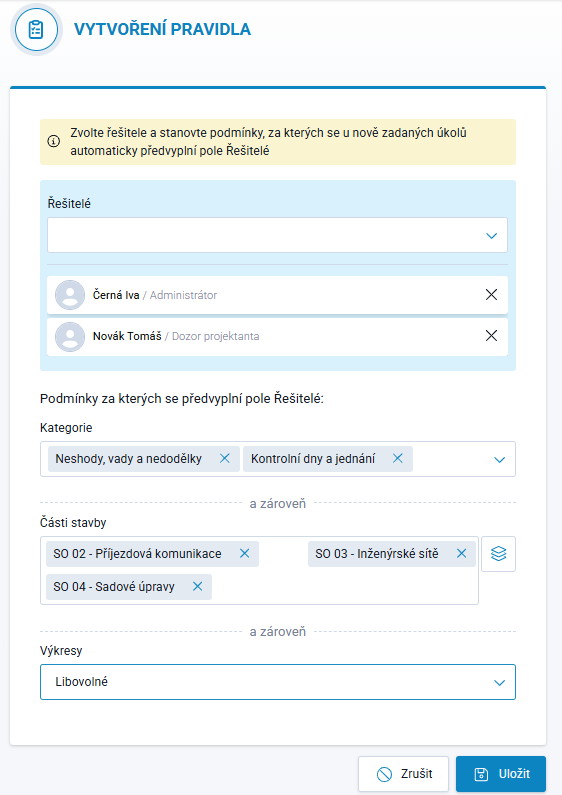
The image on the right shows the following rule: If a ticket is assigned to the category Non-Conformities, Defects and Incomplete Works, OR Inspection Days and Meetings, AND at the same time concerns either Project Part SO 02 - Access Road, OR SO 03 - Utility Networks, OR SO 04 - Landscaping, and any drawing from any of these three parts, the Assignees field will be automatically populated with the names Iva Černá and Tomáš Novák. These names can then be individually supplemented with additional people or changed directly in the ticket.
If the ticket concerned Project Part SO 02 but had, for example, the category Inspections and Tests, the condition would not be met and the rule would not be applied.
Labels
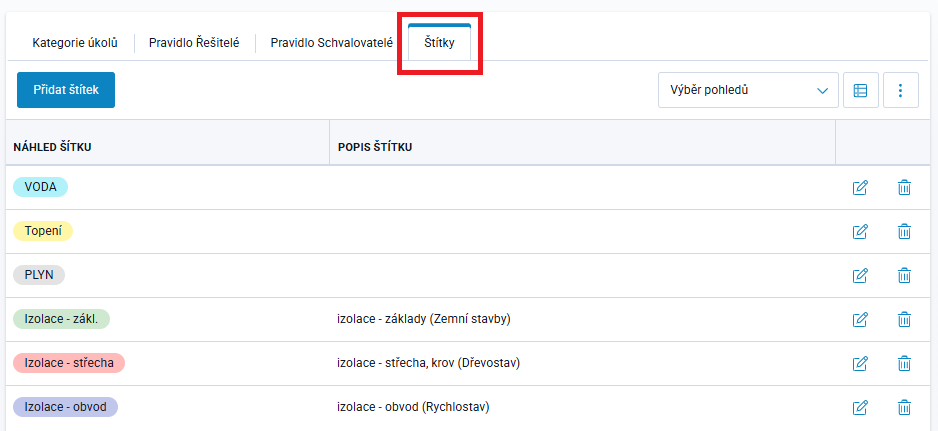
Tickets can be organized not only by assigning them to a category, but also according to individual parameters by adding a label.
This code list is empty by default, and the administrator can define labels according to the specific characteristics and requirements of the project.
For each label, a color, name, and optionally a description can be specified. Color highlighting makes it easier to identify and visually categorize tickets at a glance.
Labels are displayed in the ticket list (after adding the relevant column to the view), and tickets can be filtered by them.
In the Ticket Kanban, labels are displayed automatically, but tickets cannot be filtered by them.