Project Selection

When entering the application, select the required project from the list of existing projects. If the list is empty, you first need to create at least one project, otherwise it is not possible to manage tickets. The relevant project must also have the Ticket Management module activated in order to work with tickets.
Click the project name to open the project. The project will expand in the left navigation panel, including the modules activated for it.
You can edit project information using the  icon at the end of the project row in the project list.
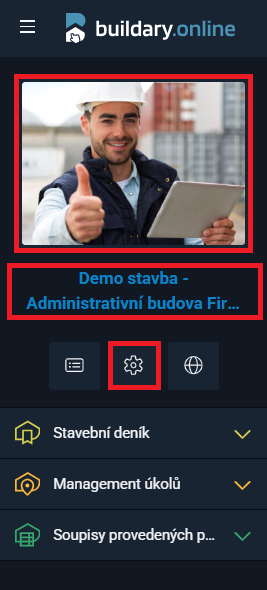
If the project is already open, you can access project editing through the left navigation panel by clicking:
- the project image, or
- the blue project name below it, or
- the icon
 below the project name.
If an orange or red  icon appears in the project list, pay close attention to it. It indicates a problem with invoice payment. You can find more details in the domain information (the
  icon below the project image in the left panel).