Ticket List

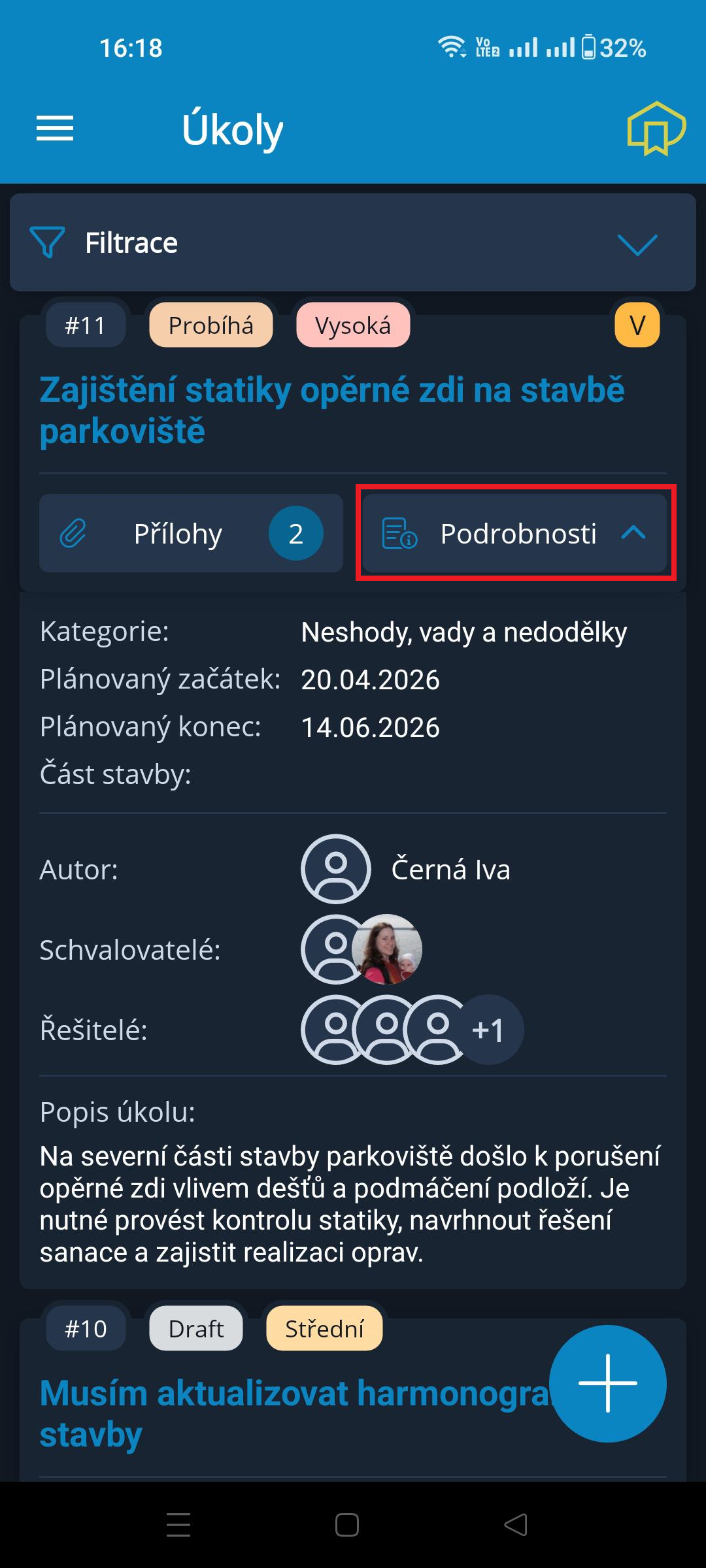
In the blue header of the Ticket List, there is a hamburger menu  on the left for opening the navigation menu, and the
  icon on the right for quickly switching to the project's Project Diary.
Below the header is the filter row, followed by the list of tickets.
Each ticket card contains:
- in the card header: Ticket Number / Ticket Status / Priority. The
 icon on the right indicates the presence of a Statement for the ticket. It is displayed only for tickets that contain a Statement.
 - in the main field: Ticket Subject ⇒ this field is active and opens the ticket for editing
- at the bottom of the card: Information about the number of attachments / Details ⇒ this icon is active and expands/collapses the basic ticket information (see the image on the right)
At the bottom right of the page are the  and
and  icons ⇒ these icons are used to create a new ticket.
Ticket Filtering
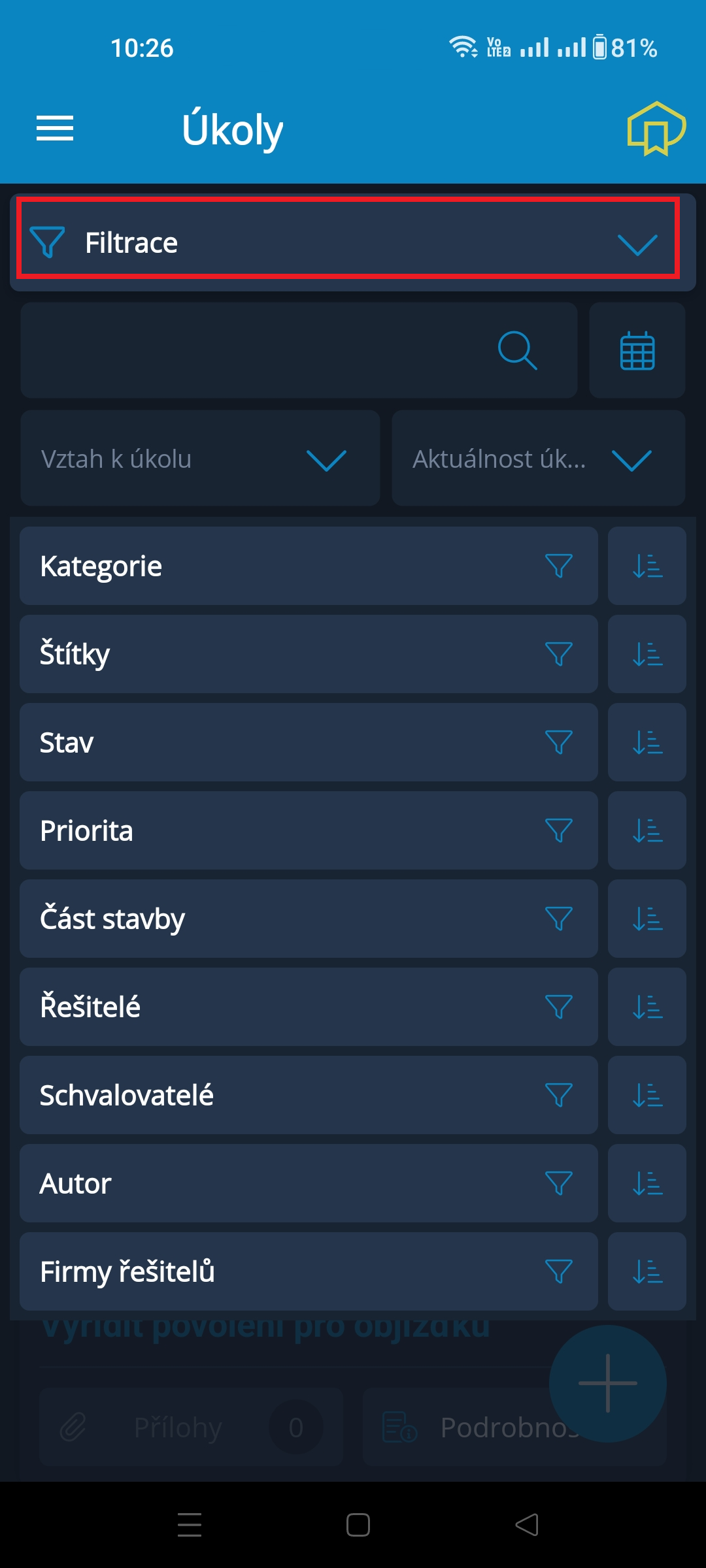
The entire row labeled Filtering is active and opens the filter window. The filter window then offers many options for creating a filter.
Filters can, of course, be combined.
- Search field with magnifying glass → allows you to find tickets containing the entered keyword in the subject or description. The application supports word declension, so it is sufficient to enter the word in its basic form.
- Calendar icon → opens a calendar window where you can enter up to 4 dates for the planned / actual start / end of the ticket.
- Relationship to Ticket → opens a list of ticket statuses, from which 1 can be selected.
- Ticket Status and Deadline → opens a list of options, from which 1 can be selected.
- a list of additional parameters that can be filtered using multiselect, meaning that multiple options can be selected for each parameter → by clicking the row name or the filter (funnel) icon, or sorted using the icon at the end of the row: ascending (1st click) - descending (2nd click) - disable sorting (3rd click)