Billing System
The billing and payment process for the Buildary.online service depends on the mode in which your domain operates.
- Trial Mode - 30 days from the creation of the domain; no fees are charged or payments required during this period
- Standard Mode - the rules described below apply to this mode; it is the default mode
- Individual Mode - the relationship and billing are governed by an individually agreed contract, and the rules described below do not apply
Standard Domain Mode
In this mode, billing takes place once every 3 months in arrears, always for a specific project, at a rate based on the number of users and modules used on the project. See http://www.buildary.online/cs/cena-cz or http://www.buildary.online/sk/cena.
The first invoice is issued three months after the project is created or after switching to paid mode.
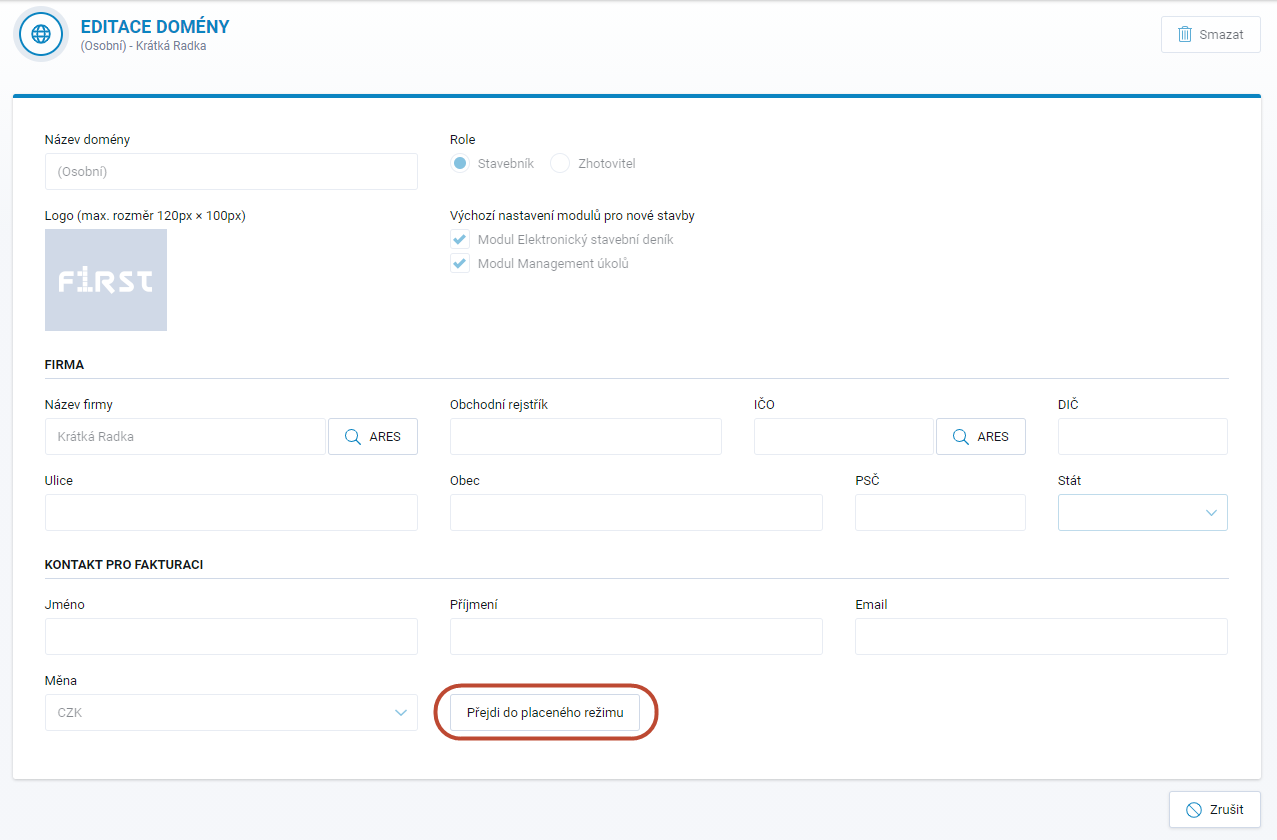
You switch to paid, or standard, mode through Domain Settings. Click the pencil icon at the end of the row for the relevant domain to open the Edit Domain window, where the Switch to Paid Mode button is available at the bottom. To switch to paid mode, all billing details must be completed, including the billing contact. Payment Requests and, after payment has been received and matched, Tax Documents will be sent to the specified email address or addresses.
At the end of the 30-day trial period, the application notifies you that the trial has ended and offers the option to switch to paid mode.
It is the domain that is switched to paid mode. It is therefore important to switch the domain in which your projects are or will be created. This means that you do not need to switch your personal domain to paid mode if you do not intend to create projects there but have a separate corporate domain for this purpose. In that case, it is sufficient to switch only the corporate domain to paid mode. More information about corporate domains can be found in a separate section of the Help.
Domain Billing

The system automatically generates and sends a Payment Request once every three months for each project separately. You must make the payment based on this document and use the corresponding variable symbol. After the payment is received, the system automatically generates and sends an invoice, i.e. a Tax Document, as confirmation of the amount paid. This invoice is final.
An overview of all documents issued for the domain's projects is available in the Domain Billing tab. After opening the Paid or Unpaid invoices for a particular project, all issued documents (that is, the Payment Request and, where applicable, the Tax Document) are available as attachments, where they can be downloaded at any time.
The payment due date for an invoice (Payment Request) is 1 month. If payment is not received by the due date, the system will start sending reminders. If payment is still not received one month after the due date, access to the project will be suspended for all users. Access will be restored after payment is received. If payment is still not received after another month (that is, 2 months after the due date), the project will be marked by the system For Deletion. The user will also be notified by email that the project is being terminated due to non-payment. If the outstanding payment is made within 3 months of the system terminating the project, the project will be restored to an active state and can be used again. If payment is not received within this period, the project will be permanently deleted. Make sure your invoices are paid on time. This will help avoid unnecessary complications for both parties.
Until the outstanding payment has been made, the system will not allow a new project to be created in the domain. If you need to create a new project but there are unpaid invoices associated with the domain, they must be paid first, even if they relate to projects that were deleted a long time ago.
Ending Billing
In the standard domain mode, billing applies only to active projects. To stop billing for a project, you must also terminate the project in the application. Details on terminating a project are described in a separate section of the Help.