Signing in the Mobile App
Buildary has 2 levels of signing:
- In the Other entries section, where each record author should sign their own record. The option to sign a record is available in the context menu of each additional record, and only the author of the record can sign it.
- Daily Report, where signing locks the entire day. All Other entries for the given day must be signed before the Daily Report can be signed. The option to sign the day is available in the day's context menu.
The signing method is configured in the user account. If you have configured your signing method through the web application, the same settings remain valid when logging in to the same account through the mobile app. Likewise, if you change the signing settings in the mobile app, the change will also be reflected in the web interface.
Signature Settings
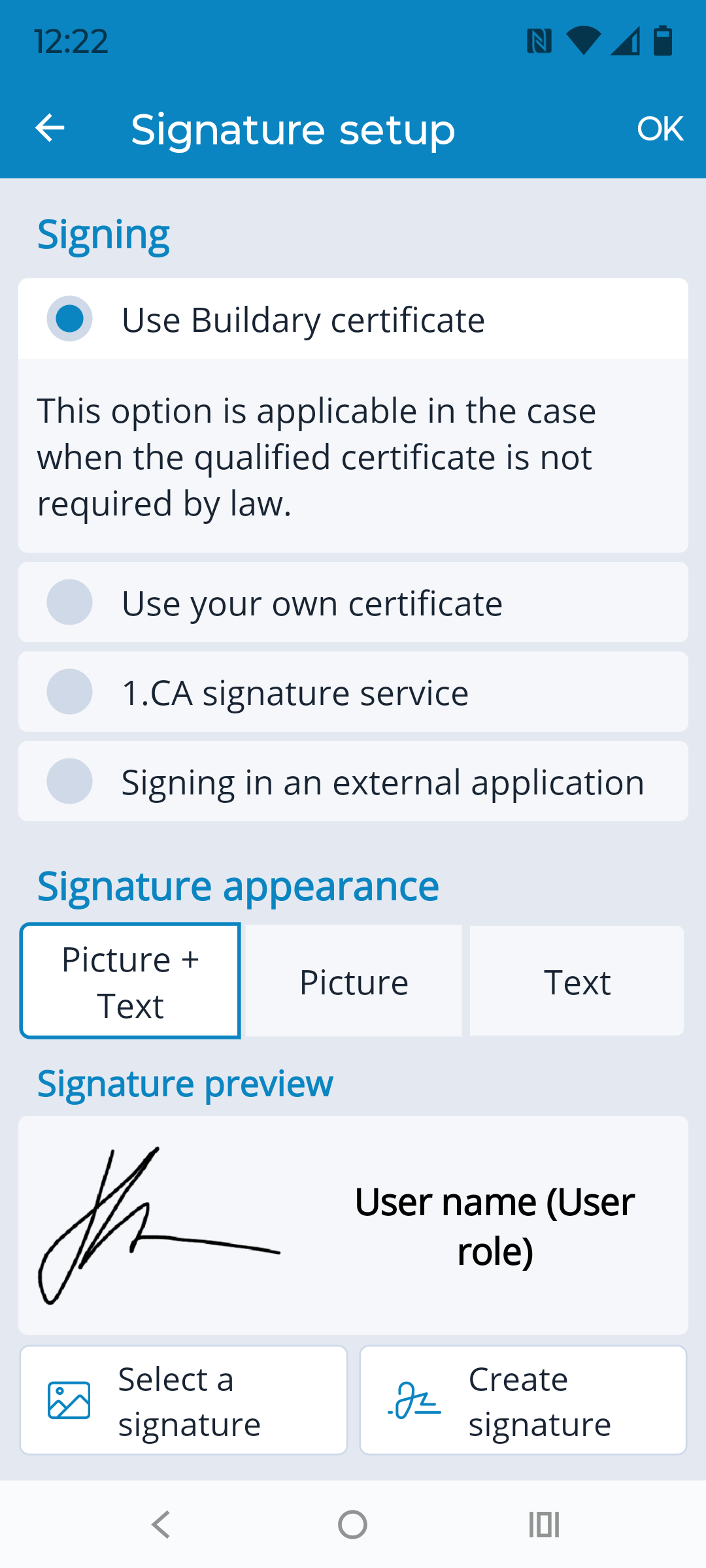
If the settings were configured through the web interface, those settings, including the signature appearance, also apply to the mobile app. By default, signing via an external application is selected.
To change the signing settings, go to Menu → Settings → Signature Settings in the app.
The window offers 4 possible signing methods:
- Buildary Certificate - a NON-QUALIFIED certificate will be used. You need to select the signature appearance below.
- Qualified Certificate - the selected certificate issued by a certification authority and exported to the mobile device will be used. When selecting the certificate, you need to locate the PFX file in the device storage. After entering the correct password, the certificate will be uploaded to Buildary. You need to select the signature appearance below.
- I.CA Service - available only to holders of a qualified certificate issued by I.CA on a secure device who have activated this service with I.CA. You need to select the signature appearance below.
- Sign in an External Application - Buildary generates a document in PDF format, which the user opens in an external application that allows them to sign it, and then uploads it back to Buildary. The signature appearance is not configured here. Its appearance is created by the external signing application.
Signature Appearance - must be configured for the first 3 signing methods. There are 3 options:
- Image + Text - the graphical signature will contain an image (a selected file or a graphical signature created using the “Draw” option) and a text component, which the application automatically adds using the current data: the user's name (according to the currently logged-in user) and their role in the Project Diary being signed.
- Image - the graphical signature will contain only an image, either a selected file or a graphical signature created using the “Draw” option.
- Text - the graphical signature will contain only a text component, which the application automatically adds using the current data: the user's name (according to the currently logged-in user) and their role in the Project Diary being signed.
If the signing settings have been changed, you need to reload the diary for the changes to take effect.
If you have a certificate stored on your computer and need to transfer it to your mobile device, see the procedure described in the separate help chapter.