Main App Menu
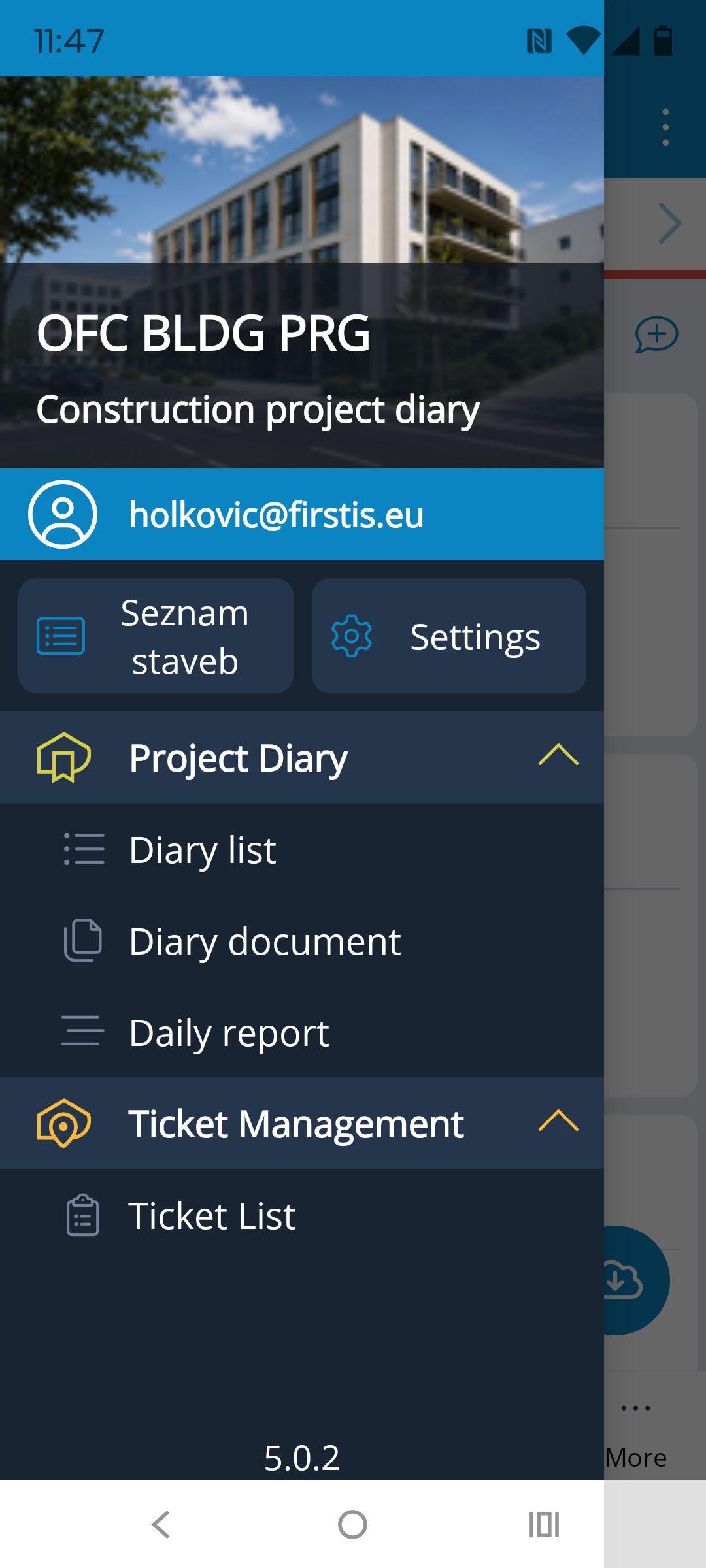
The app's navigation menu is accessible from almost anywhere using the hamburger menu  in the top-left corner. If a left-pointing arrow ← is displayed in the current location, follow it first. The required icon will then become visible.
The main menu is very similar to the navigation panel in the web version of the application, so navigating it should be simple and intuitive for users.
It is only important to keep in mind that the functionality of the mobile app is limited, particularly when it comes to configuration and settings.
In the upper third of the menu, over the project image, you will see the short project name and the name of its last viewed Project Diary. Below this information is the name of the logged-in account (email address).
The active Project List and Settings icons link to the respective pages, which are described in more detail below.
In the Project Diary module, you can access the Diary List for the current project (allowing you to switch to another Project Diary), the Documents of the current diary, or the Daily Records of the current diary.
In the Ticket Management module, you can access the Ticket List for the current project.
For quick switching between the diary and tickets on the current project, use the icons in the header of the diary or ticket list:


Project List
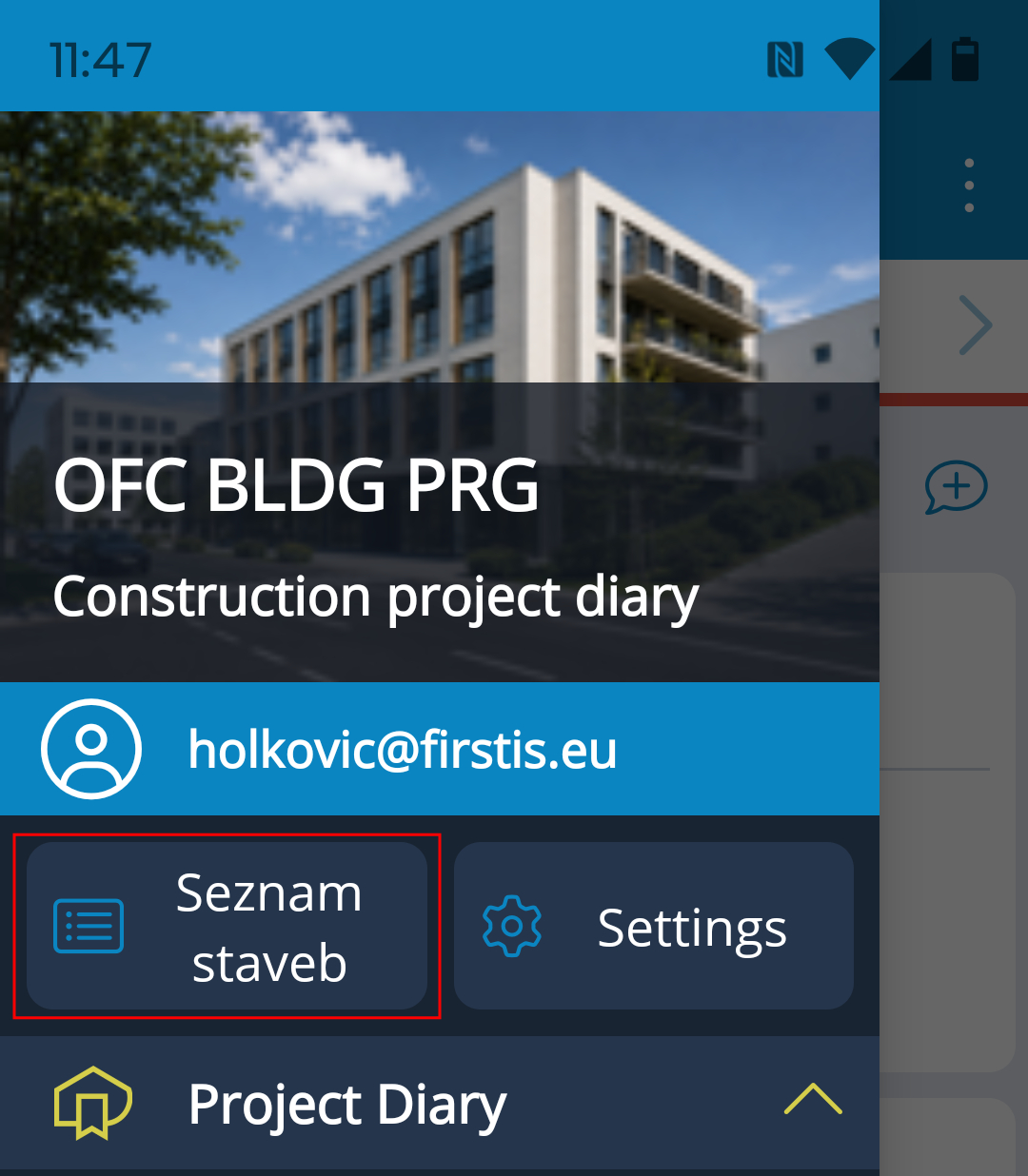
The Project List is undoubtedly the main navigation icon, allowing users to move freely from one project to another. Its placement in the main menu provides quick access.
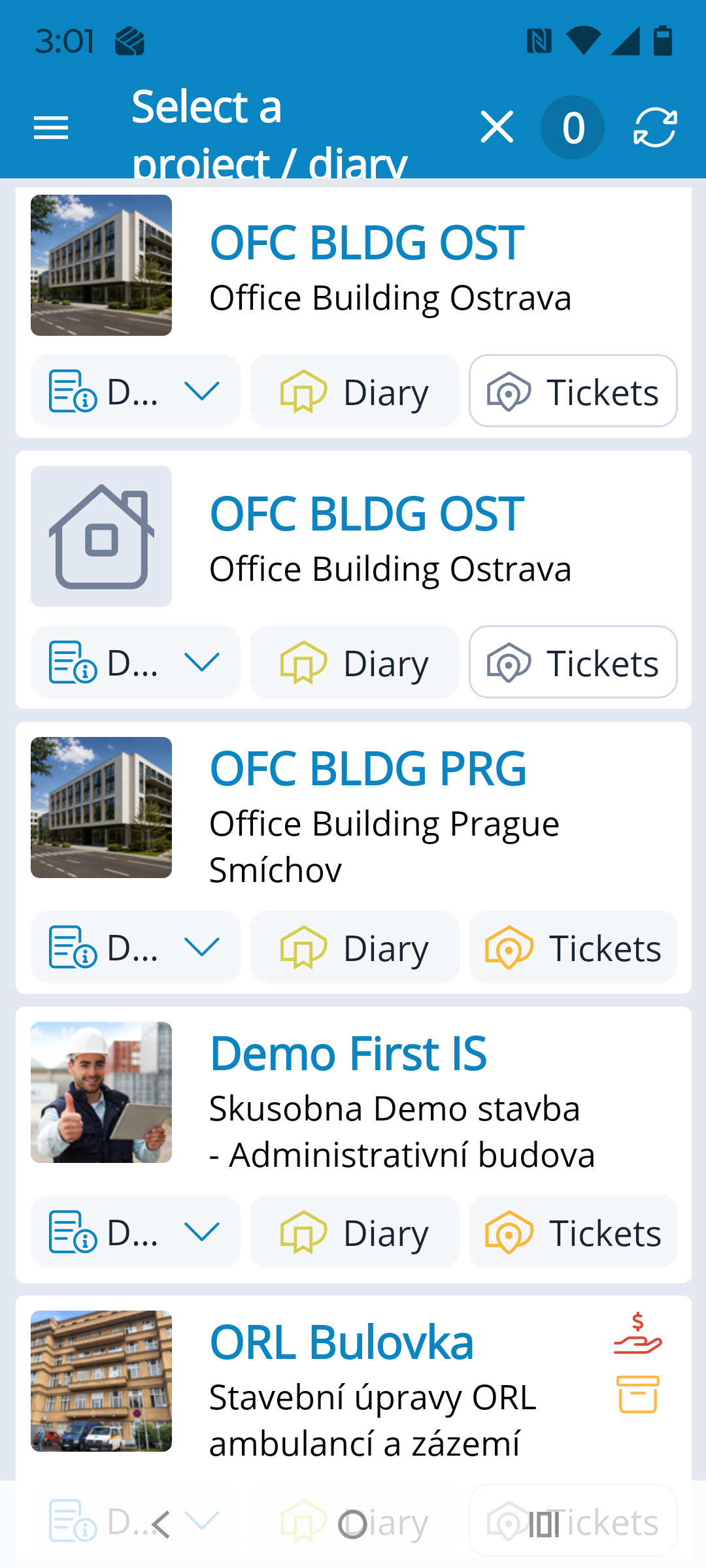
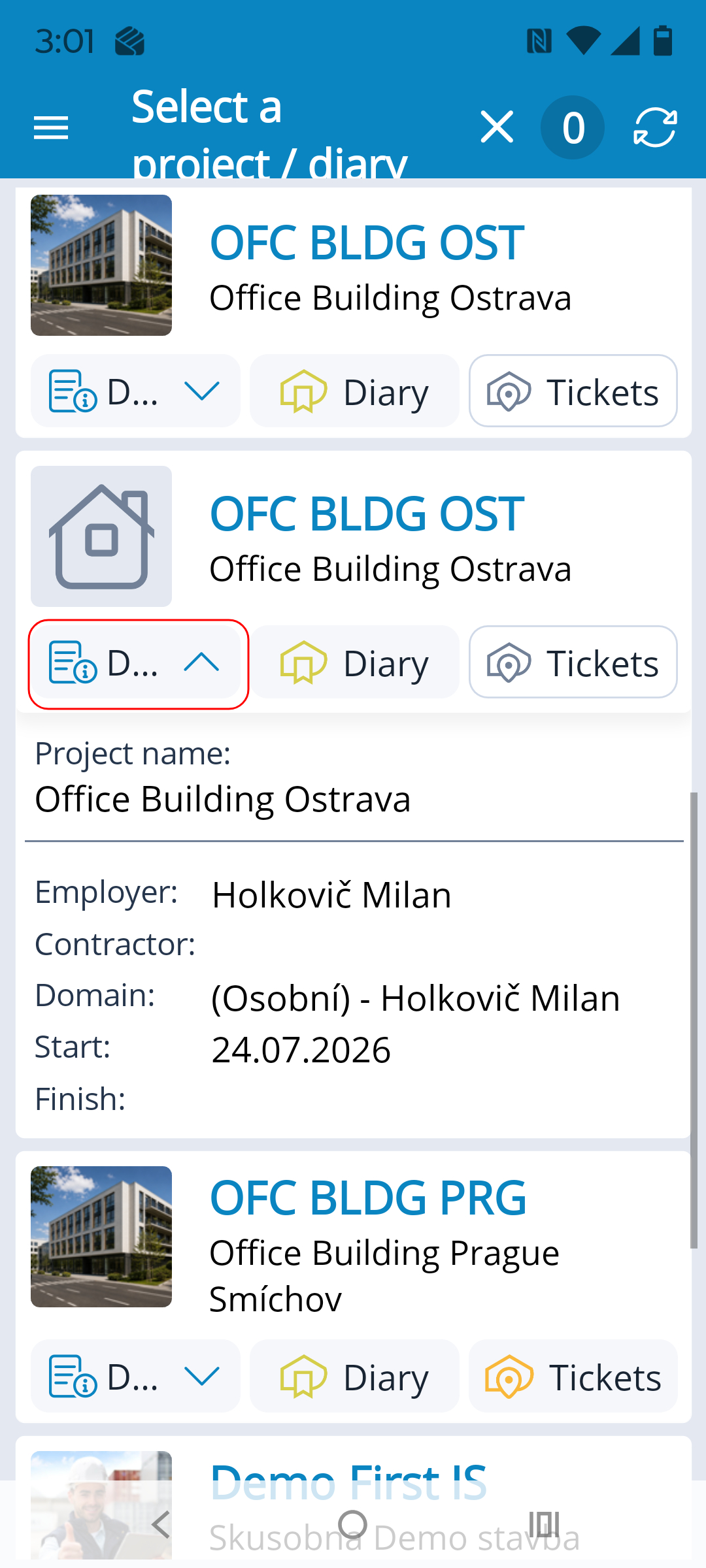
The list displays all projects the user has access to.
The Details icon expands to display basic project information.
The Diary icon takes the user to the Project Diary of the selected project, or to the Diary List if the project has multiple diaries.
The Tickets icon takes the user to the ticket list of the selected project.
A module that has not been activated for a project is displayed in the list with an inactive (grayed-out) icon.
The entire field containing the project image and name is also active ⇒ a project with a single diary opens directly to the diary's Daily Records for the current day, while a project with multiple diaries opens to the Diary List. If only Ticket Management is activated for the project and Project Diary is not, the project opens directly to the Ticket List.
Settings
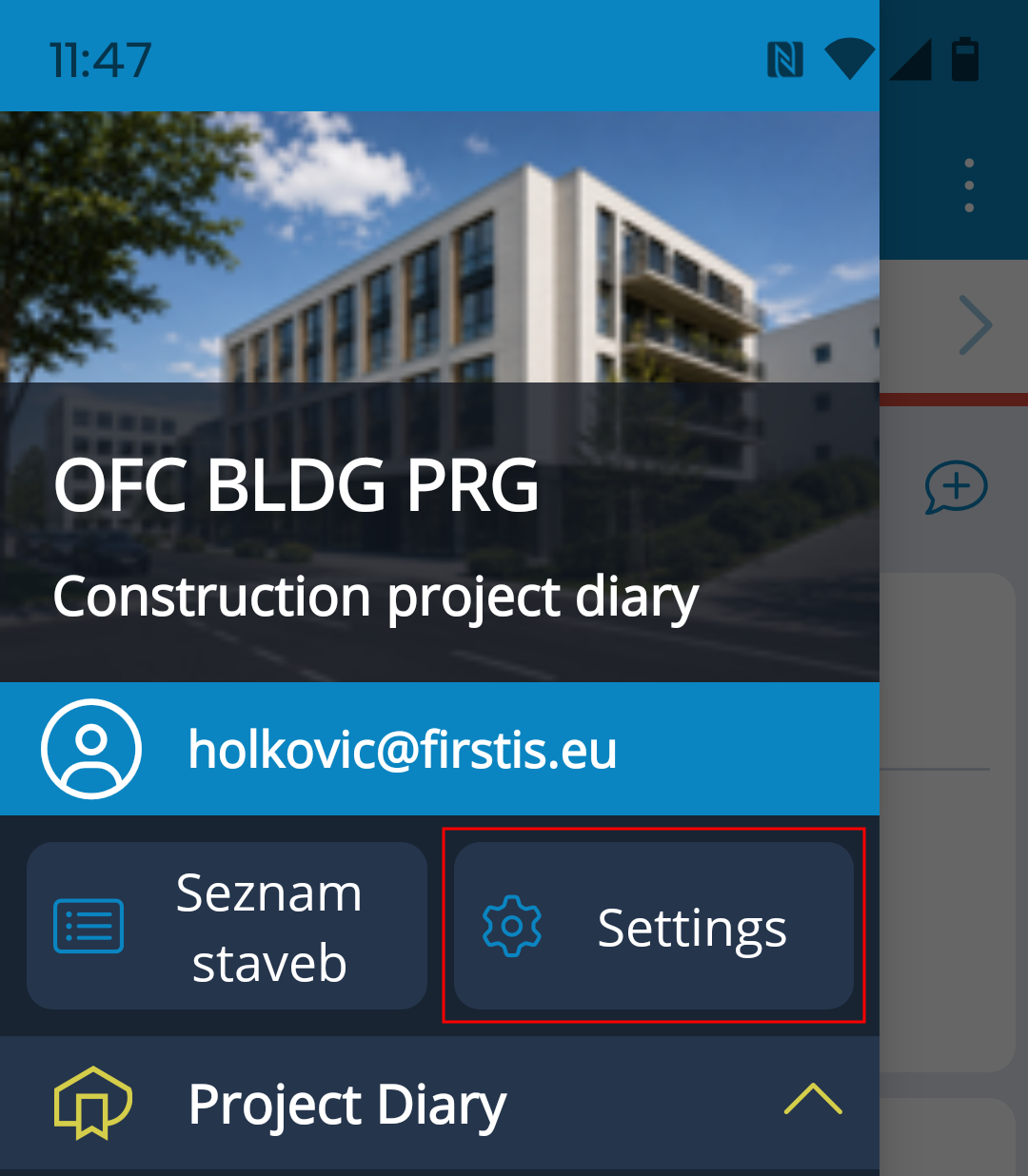
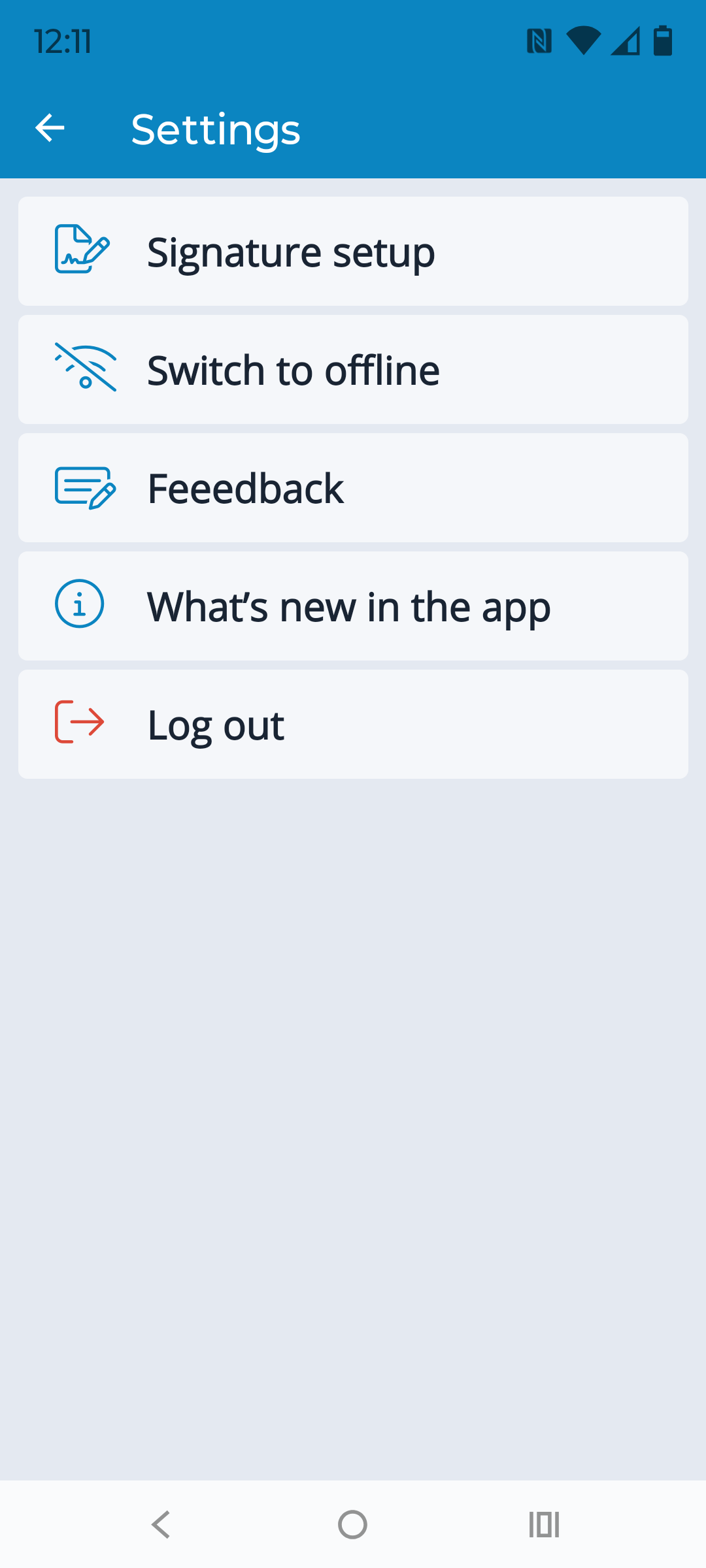
The Settings icon opens a page with a few configuration options:
- Signature Settings → opens the signature settings for the user account.
- Work Offline → allows the user to switch to offline mode if they do not want to use mobile data. An Internet connection is required to synchronize local data with the server, and the user must manually switch back to online mode here.
- Feedback → Do you have comments about the app? Do you have an idea for how to improve it? You can submit your comments using the form available through this link.
- What's New → opens the information window that was displayed when you entered the app but that you did not have time to read. Important information about new features and changes is displayed when you log in, but you can also access it here at any time.
- Log Out → if you need to log in with a different account, or simply want to log out before closing the app, you can do so here.